Video consultation at Fraternidad-Muprespa
Fraternidad-Muprespa can offer its patients the possibility of consulting with healthcare professionals through our video consultation platform, in those situations that meet the necessary requirements established by the Mutual Fund.
Video consultations are carried out through the Patient Portal of Fraternidad-Muprespa or through the application for mobile devices My Frater Patient .
Patients who have been scheduled for a video consultation must take into account the following recommendations and instructions for carrying out the consultation:
Verify your access to the patient portal
To be able to carry out the video consultation, the patient must have an active user of the Patient Portal and the My Frater Patient application. It is necessary that before the date of the video consultation, with sufficient advance notice, the patient ensures that they can access the Portal or the App with their username and verify that the video consultation appointment appears in the “Upcoming appointments” section.
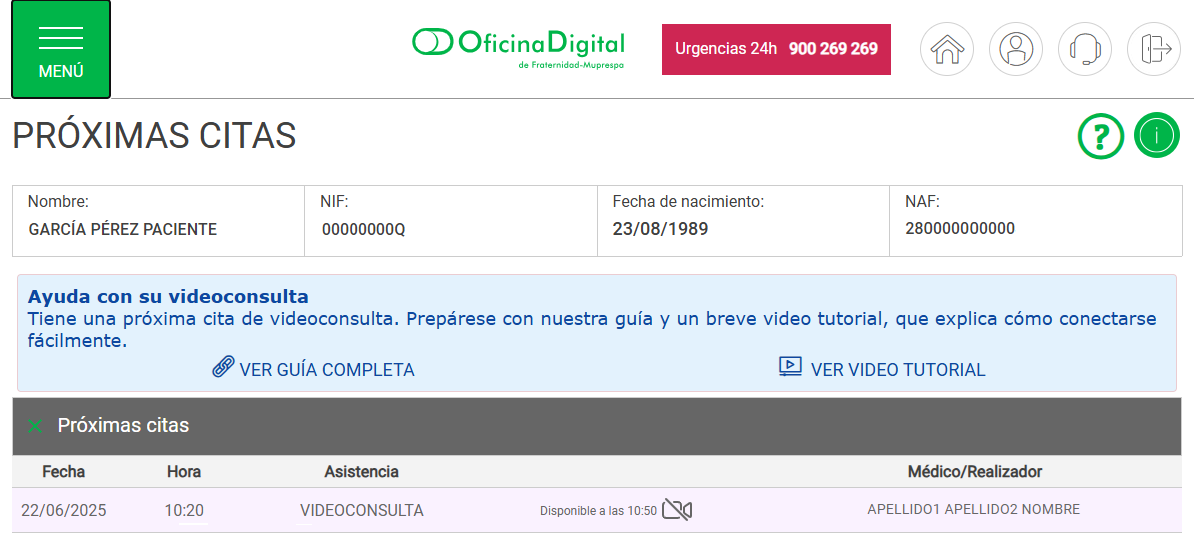
Example: next appointment verification (Patient Portal)
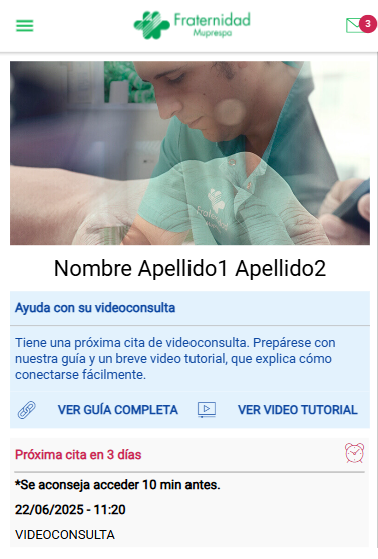
Example: next appointment verification (My Frater Patient App)
If the patient has problems activating the user, cannot access the Patient Portal or the My Frater Patient App, does not view the video consultation appointment on the platform, or encounters any other incident that could prevent access to the session on the day of the video consultation, please contact our user service and support so that we can help you.
If the patient does not have a user, they can activate it immediately by completing the access request form in the application itself (Go to “Login” and “Request user"). It is recommended that this activation be done well in advance of the day of the consultation.
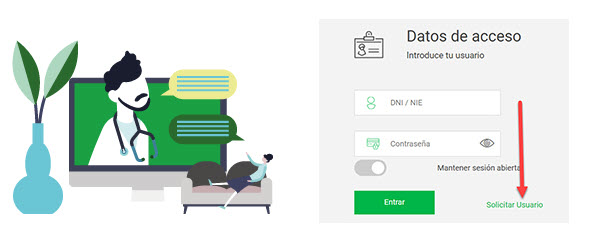
Example: request user to access the patient portal
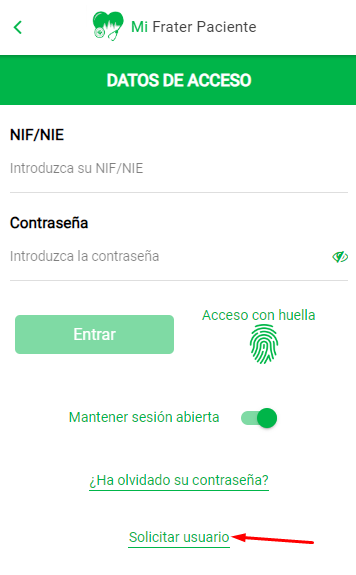
Example: request user to access the Mi App Frater Patient
Internet Browser
The video consultation platform will use the default Internet browser on your device. For the video consultation to be carried out properly, it is necessary that the Internet browser is compatible with the platform. Please ensure that your device's default browser is updated and is one of the following:
- Google Chrome
- Microsoft Edge
- Mozilla Firefox
- Opera
- Brave
- Safari
Prepare your environment
Choose a quiet, well-lit place to conduct the video consultation. The place should be free of noise or distractions. The light must be sufficient for the healthcare professional to see the patient correctly.

Ensure a stable Internet connection
Preferably, we recommend using Wi-Fi or a reliable data network to avoid interruptions.
Verify your device
You can perform the video consultation from any device with Internet access that has a camera and microphone (mobile phone, tablet or computer). The Fraternidad-Muprespa video consultation platform includes an online assistant with which we will verify the correct operation of your devices, but it is recommended that the patient make sure that the camera and microphone work properly, for example by making a test video call before the consultation. It is also recommended to verify that your device has sufficient battery charge to prevent the session from being interrupted due to lack of power.
Connect on time
Start the session in advance, connecting a few minutes before to verify that everything is in order and ready for the call.

Prepare your documents
If you have any medical report, results of analysis or previous studies that may be relevant so that the healthcare professional has all the information about your medical process. Through the platform you can send your documents to the healthcare professional.

Access to the video consultation
On the day scheduled for the video consultation, you will be able to access the platform from our Patient Portal or from the My Frater Patient application for mobile devices. Access to the video consultation platform will be available from 30 minutes before the scheduled time, so you can access it in advance. Access will be visible on the main screen of the Patient Portal and My Frater Patient, so you will not have any difficulty entering.
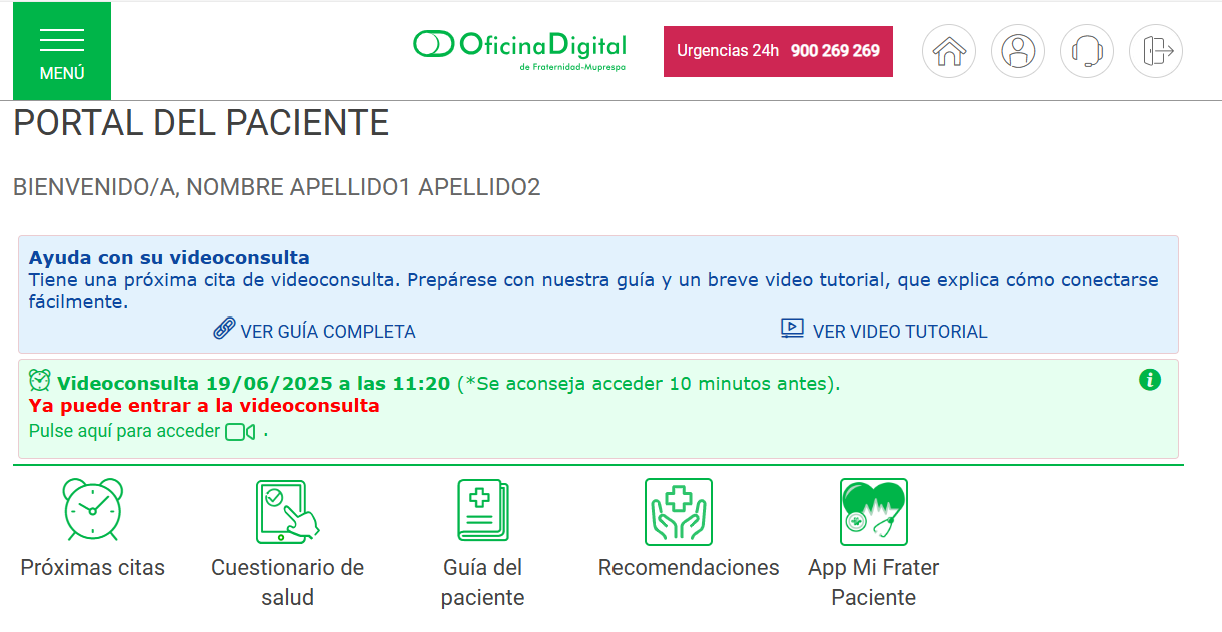
Example: Access from the patient portal
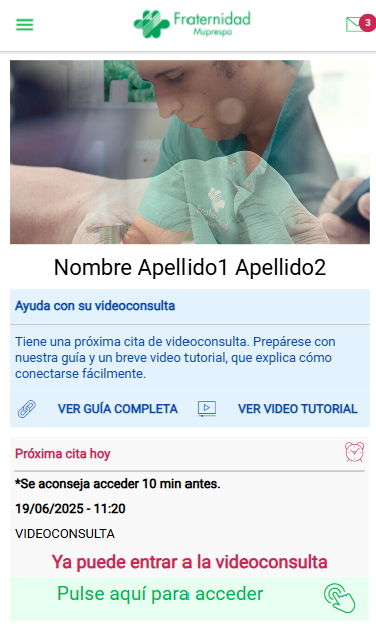
Example: Access from the My Frater Patient App
We have prepared a short video tutorial that explains step by step how to easily connect to your video consultation. If you wish, you can view the access tutorial from the My Frater Patient App or the tutorial that explains how to access from the Fraternidad-Muprespa Patient Portal.
Use our customer service and support if you have any problem
Fraternidad-Muprespa makes a support service available to patients, with which they can contact through different channels, to receive attention for any problem or difficulty that occurs before, during or after the video consultation.